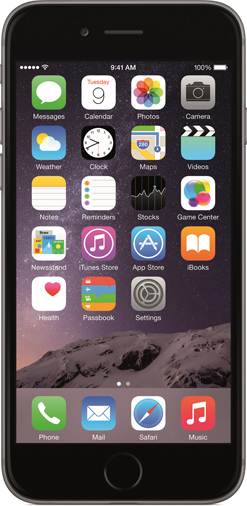

q+a Every time I have to go through the troubleshooting steps for my iPhone to be recognised by iTunes. After I restart the laptop, the phone stops getting detected. I use an Acer Aspire 5738G laptop with Windows 7 Ultimate and the latest version of iTunes.
Ayan Sen
Certain phone connectivity programs from vendors like Samsung and Huawei might cause your iPhone not to be recognised. If you have such a program on your computer, you will have to uninstall that temporarily. If you use a dongle to connect to the Internet, try connecting through WiFi or Ethernet instead. Remove iTunes and all Apple related software. Restart your machine. After you reinstall iTunes, your phone should start getting detected. Make sure your iPhone trusts your computer. You will get a message for this on your iPhone once it is plugged in to the laptop.
If you still need your phone or Internet connectivity software you can reinstall them now. If the problem returns then you will know what was causing it.
Ad flood
q+a When I browse the Internet using Chrome, a window pops up saying ‘Powered by Advance Elite’ and then site opens with advertisements. Some popup ads also appear on both sides of the screen. I use an ad blocker extension, but it did not work for me.
Saptarshi Samadder
Your computer is infected with an adware program. It probably got installed with some free software that you downloaded. Uninstall the Advance Elite program by going to Control Panel—Programs and Features—Uninstall a program. Also get rid of any recently added programs that you did not willingly install.
Open Chrome and go to Settings—Extensions and remove the Advance Elite and any extension that you do not recognise. Scan your computer with Malwarebytes from www.malwarebytes.org. Get a second opinion from Hitman Pro. You will get it at www.surfright .nl/en/hitmanpro. You can use this program for free for 30 days only.
Map out
q+aThe Google Maps app is not working on my Micromax Bolt A59 with Android 4.1.
Rohan Dutta
For Google Maps to work, you have to enable Location Sharing in two places. The first one is under System Settings--Location Access (for non-Google apps) and the other one under the Google account itself for Google apps.
Folder lock
q+a Is there a way to lock a folder on my desktop computer so that only I can open it?
Sayan Kumar Guin
There are several third party applications for this. You could start off with LocK-A-FoLdeR. It has a single master password and a minimal user interface. Just select the folders that you want to protect and close the application. Instead of using encryption, this program simply hides the folders from any user who might try to access them. To restore access to your protected folders you will have to reopen the program and use the unlock button. You can get it from www.softpedia.com/ get/Security/Lockdown/LocK-A-FoLdeR.shtml.
Send in your computer- related problems to askdoss@abpmail.com