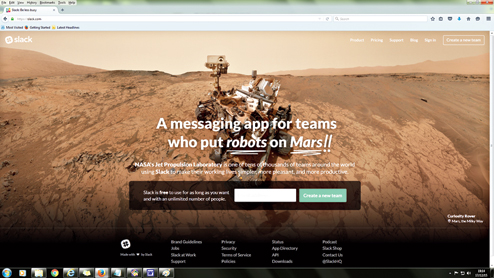

If you have been using WhatsApp or email for your office work, forget it. There is something far better. Slack is a tool that makes communication within groups so easy that more and more people are dumping email at work and embracing this new phenomenon.
And there is an app for it too.
Slack is like creating a WhatsApp group — only it is more efficient. Everyday we have multiple conversations “talking shop”. You may find it difficult to remember what you said where, when and to whom. You have to scroll up and down and go from email to messaging and other chats to find what you want. Slack solves that problem brilliantly. Slack stores all your conversations. All matters inside the conversations are searchable. It also allows you to share files and documents and resources within your team whatever format they are in. And the best part is you can videoconference and share you computer screen all within this one program.
To start, go to www. slack.com and join by creating a new team. First put in your email address and give a name to your team. It could be a division in your company or whatever you choose. Next, choose a URL that your co-workers will use to sign in to. Typically, it is in the form of teamname.slack.com. Finally, pick a username that your colleagues will easily recognise. That’s it. Now send out invitations to your team members.
By default, Slack creates two channels. One is called “general” and the other “random”. You could, if you wanted, create any number of channels such as “brand”, “marketing” or “events” — in fact, whatever you want. You could also create separate groups or teams with their own channels. All of these would be accessible for you with one login.
The entire team has access to the main channels in Slack, but the group administrator can create separate “private” channels. Users are granted access to a private channel individually. The “random” channel that Slack creates for all new groups is where you can banter about all non-work related stuff.
Videoconferencing has never been so easy. Click on the top left arrow and select Apps & Custom Integrations. Look for appear.in. Now just follow the wizard. You can start a videoconference with up to eight people by just typing /appear in the message box. The app is available for Firefox, Chrome and Opera browsers. If your team members are interacting with the Slack app on the phone then I would suggest that they download the appear.in app.
If you want to share your computer screen, just add Screenhero. This will be integrated with Slack very soon, but till then you can download the app for free and register. After that you can activate screen sharing with your colleagues with a one-line command.
Slack can also be integrated with the services we use every day such as Google Drive, Google Hangout or even Dropbox. Slack is free to use for as many people you want. The free version indexes your group’s 10,000 most recent messages and allows you to integrate 10 apps.
Send in your computer- related problems to askdoss@abpmail.com with bits&bytes in the subject line