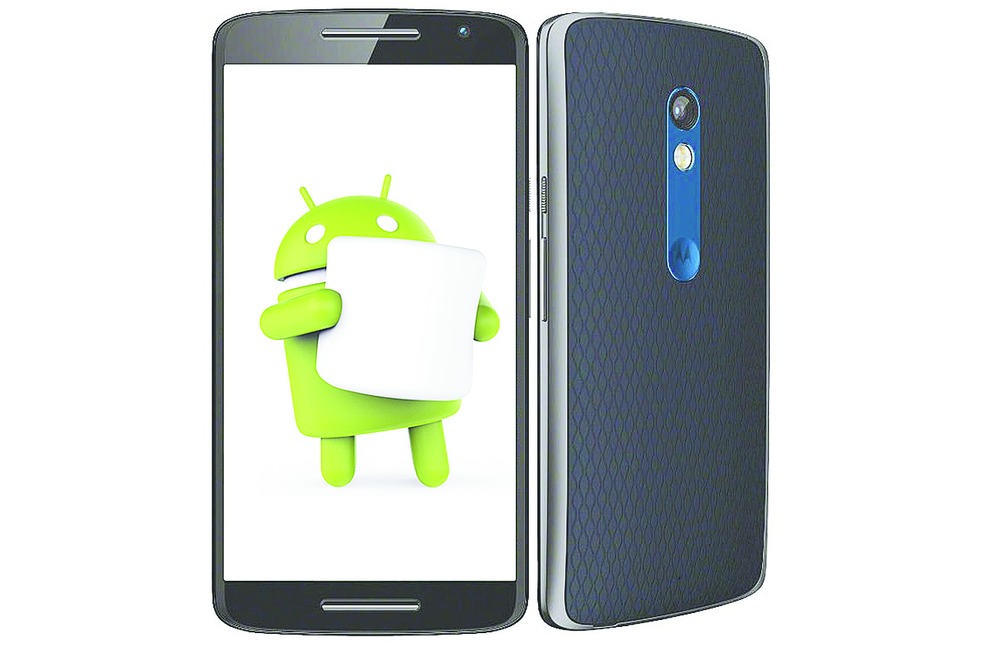

q+a If I upgrade my Moto X Play to Marshmallow 6.0, will the data in the SD card and internal memory be erased? Is it worth the upgrade?
Chayan Dasgupta
The Marshmallow update has given Moto X Play a boost in the phone's performance. The battery charge lasts longer with Marshmallow's Doze mode, which cuts back on background activity when not needed. Also battery drain has been significantly reduced when visiting media rich websites. The camera too works better. The feature that I specially like is Adoptive Storage that comes with the upgrade. Rather than treating the memory card as a separate storage space, Marshmallow can treat it like the rest of the memory on your phone. This makes using your memory card space hassle free. So, yes, you should upgrade to the latest version of Android.
The data in the SD card and the internal memory is left intact after the upgrade. However, there are some precautions you must follow before your upgrade. Make sure you have good WiFi connectivity and sync all your contacts, app data, drive data, and the rest of it with your Google account. You will find this option in Settings - Accounts. I would also suggest that you use the Google Photos app so that your camera roll is also stored on Google's servers.
To avoid any problems make sure that you are using a microSD card that is above Class 6. Manufacturers use 'speed classes' to measure an SD card's speed. You should find the class printed on the card.
Malware repair
q+a I have been using a 8GB Moserbaer pendrive for quite sometime, without any problems. After transferring some files from my colleague's desktop, I am now not able to access the contents of the pendrive. I get a 'Rundll' error.
Nitish Srivastava
Your computer has been affected by some kind of malware and the Windows registry has a problem. I suggest you download the free versions of Malwarebytes (www.malwarebytes.com/antimalware/ ) and CCleaner (www.piriform.com/ ccleaner) to find the malware and repair the registry.
Disk caddy
q+a Is there a way to access data from the internal hard disk of my defunct PC using my laptop?
Jaswinder Singh Saluja
First of all you will have to buy a caddy or case for the internal hard drive. Desktop PCs use 3.5-inch hard drives, so buy the appropriate case. You should get it online for anything between Rs 500 and Rs 800. Remove any brackets and screws from the internal hard drive. It will need to be bare so that it can fit into the case. Now slide the hard disk into the case. Make sure you slide it in the right way. Use the USB cable that came with the case to attach the caddy to your laptop. The contents of the disk will show up in Windows File Explorer on your laptop. You can now treat it like any hard drive and copy files to and from it.
Mail app
q+a My work requires me to manage multiple email accounts on my mobile phone. What would be the best way to do this on my Gionee F103 phone with Android version Marshmallow?
Benoy Kumar Shaw
There is a wonderful app that you can use for this. It is called SolMail. It is available for free in the Google Play store. Solmail supports Gmail, Yahoo, iCloud, Hotmail, Outlook and hosted email servers for domains. It is very easy to add accounts and manage them. The app uses the 'swipe to delete' function, where you swipe a message to the left and it automatically deletes it. This can be changed to 'swipe to archive' in the app's settings. Switching between different emails accounts is easy since you can filter your inbox view by email address. When you compose a new message, the default email address will be shown in the 'From:' field. You can click on the tiny button to use a different email address.

WiFi down
q+a The WiFi connection on my HP Pavilion G6 laptop has been snapping frequently after I upgraded to Windows 10. What should I do?
Soutik Sarkar
Some Windows 10 users have reported this problem. It is usually triggered by the presence of older VPN software in the previous version of Windows. Fortunately for you, there is a solution. First try to reinstall the wireless network adapter. In Windows, search for and open Device Manager. Double click on Network adapters, and right click on the name of the wireless adapter. Select Update Driver Software. Click on 'Search automatically for updated driver software'. Follow the instructions to install the updated driver.
If the problem is not solved, right click on the Start menu and select Command Prompt (Admin) from the dropdown menu. Type reg delete HKCRCLSID{988248f3-a1ad-49bf-9170-676cbbc36ba3} /va /f and press Enter. Now type netcfg -v -u dni_dne and hit Enter. Restart the laptop and check your WiFi settings. You should now see a new list of all of the available networks.
Contact list
q+a The list of contacts on my Asus Zenfone 6 has got messed up with the names segregated from the numbers. So I am not able to make any calls. What do I do?
Partha Sarathi Mazumder
On your phone, disable sync for contacts from Setting -Accounts. Now go to https://contacts.google.com on your computer.
See if the list is all right here. If so, go back to your phone and delete the entire list of contacts and re-enable contacts sync in Settings.
If the list of contacts is garbled in Google Contacts on the computer, go back to the phone and disable sync again. On the Google Contacts page on the computer, click on More on the left and then on Restore contacts. Now enable sync on the phone and you should get everything back in its correct form.
Send in your computer-related problems to askdoss@abpmail.com with bits&bytes as the subject line