TT Epaper
The Telegraph
 
IN TODAY'S PAPER
WEEKLY FEATURES
CITIES AND REGIONS
ARCHIVES
Since 1st March, 1999
 
THE TELEGRAPH
 
 
CIMA Gallary
Stay charged all day

Aquestion I am often asked is how to get through the day without charging a smartphone (or other such device) multiple times. Most batteries used today in electronic devices are lithium-ion batteries. Here are some tips on how to take care of your battery.

First check which of your apps is using up the battery. If you are using an Android phone go to Settings, About Phone, then Battery and Battery Use will show the applications using the battery. Disable the ones you don’t need running in the background. Get rid of all useless apps. You can use a Task Scheduler or a Task Killer for to do this.

Turn off 3G/4G data services when you are not using them. Open Settings-Wireless and Networks. Uncheck Mobile Network. This will disable the 4G/3G network. You should also turn off Location Services because they drain a lot of battery power. Go to Settings-Location settings. Uncheck Use GPS Satellites and also Geolocation from apps such as Twitter, Facebook or any other application that uses it.

High brightness and animation effects also decrease battery life. Keep the brightness to the optimum that you are comfortable with. Disable any background animation. Many Android smartphones such as the HTC Explorer come with a default Task Manager which can be used to kill applications running in the background.

Unlike the older nickel-cadmium batteries, the new lithium-ion batteries do not need to be drained all the way. But once a month you should fully discharge your battery. Do not leave your phone on charge after it is fully charged as this can adversely affect your battery.

If you are on an airplane and you want to play games or listen to music you should turn your device to airplane mode. This turns off all forms of wireless communication and saves on battery life.

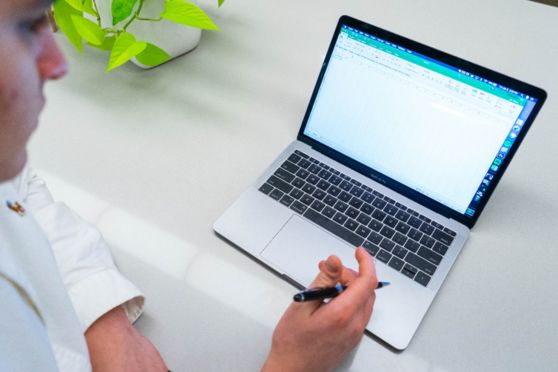
The most important threat to your battery is heat. Your laptop may overheat if the fan is blocked or if you leave the device in a hot place. You should also cut down on graphics and processor-intensive programs such as picture or video editing tools and games with 3D graphics. Another thing that diminishes your laptop’s battery life is when you attach something to the laptop such as a flash drive, USB hard drive, mouse or anything that requires power.

One of the best ways to improve your phone’s performance, battery life and even add some smart features is flashing a new kernel. We use the term ‘flash the phone’ to refer to the process of writing new software to update or replace what already exists on the phone. In any Operating System, the kernel is the component responsible for helping the applications communicate with the hardware.

If you flash a new kernel you can run your phone at a faster rate by using higher clock speeds than the manufacturer intended. They can also let you reach lower clock speeds so you can under-clock your phone when you aren’t using it and save battery life. They can optimise your speed so that you use higher speed but lower voltage. Kernels can also add full features to your phone or fix issues that the manufacturers haven’t attended to. For example, if your smartphone doesn’t support Wi-Fi tethering, you may want to flash a new kernel that supports Wi-Fi tethering on your device.

But make sure you research all the kernels available for your device and know what you are getting yourself into before you flash. For example, some HTC kernels come with a feature called Superior Battery Charging, or SBC that can overcharge your battery but is likely to shorten your battery’s life. Make sure it is compatible with your device too.

Send in your computer-related problems to askdoss@abpmail.com with bits&bytes as the subject line


" "